Players · Leaderboards
Leaderboards & Quizzes
Start a Trial or Rift, set your difficulty within the GM's limits, climb the leaderboard, and see your results when you finish.
Verified against app build 2f427ecbd · 2026-10-07
Quizzes are where you earn your spot on the board. A Trial is a path quiz, a Rift is the campaign final, and an Engagement is a node’s mini-quiz. Trials and Rifts let you pick your own difficulty and rank you against your party.
Play one now — no account
Battle a Trial or a Rift in the free sandbox at app.rpglms.com/?demo=1. Scores post to a real leaderboard inside the sandbox, which lives in your browser’s storage rather than on RPGLMS’s servers.
Play a Trial or Rift
Open the start card
The start card states the four things you’re deciding on — how many Questions, your Starting Hearts, your Attempts, and the Difficulty — with the Adjust Difficulty and Leaderboard tiles below, then Begin Trial (on a Rift it reads Enter Rift).
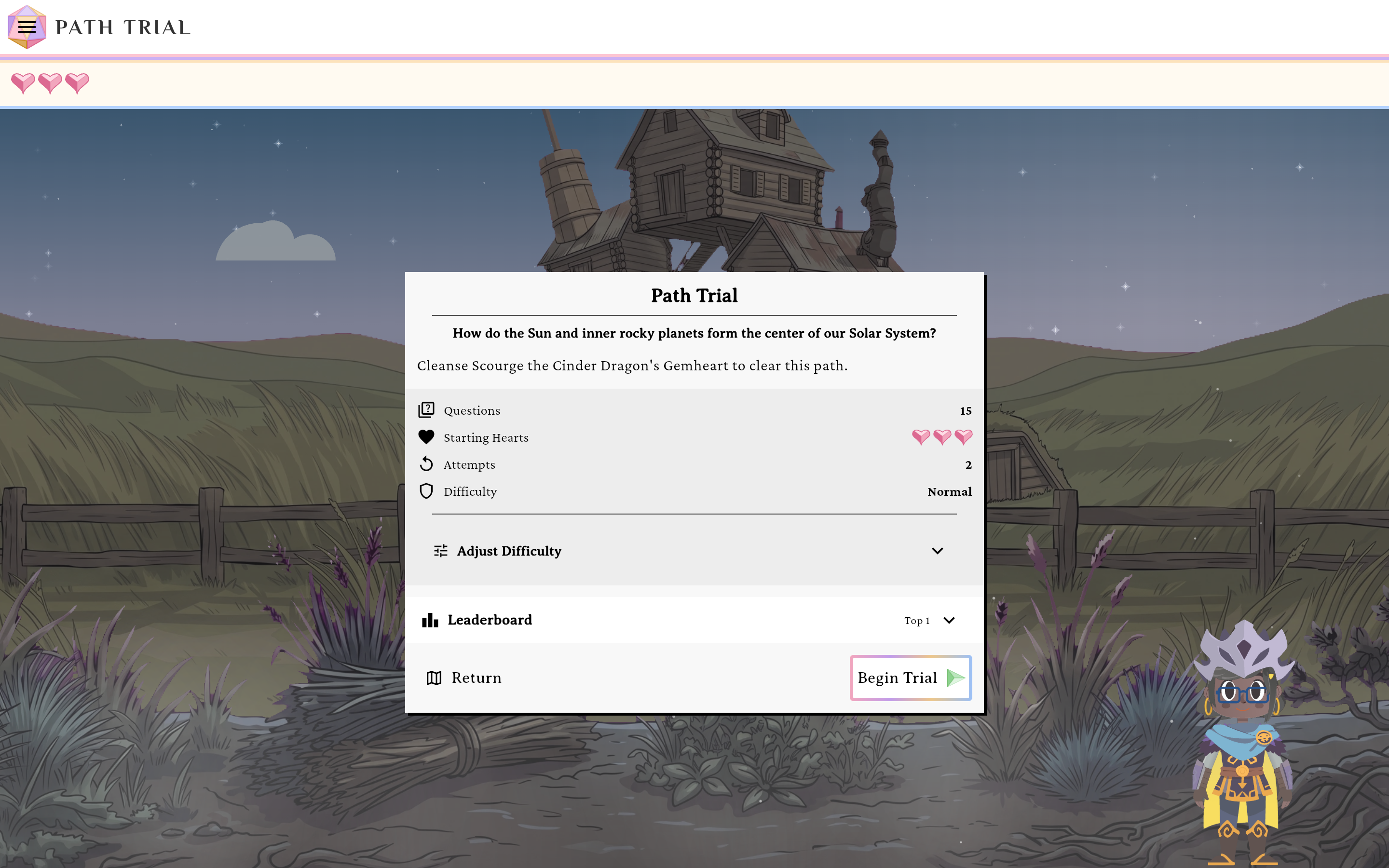
The quiz start screen.verified @ 2f427ecbd Set your difficulty
Expand Adjust Difficulty and choose your Starting Hearts, Max Hearts, and Time Per Question — up to the ceilings your Gamemaster set. Add a Monster Timer (Off / 60s / 30s) for an extra challenge, and pick an overall Easy / Normal / Hard difficulty. This section is for Trials and Rifts only — a node’s Engagement has no difficulty to pick.
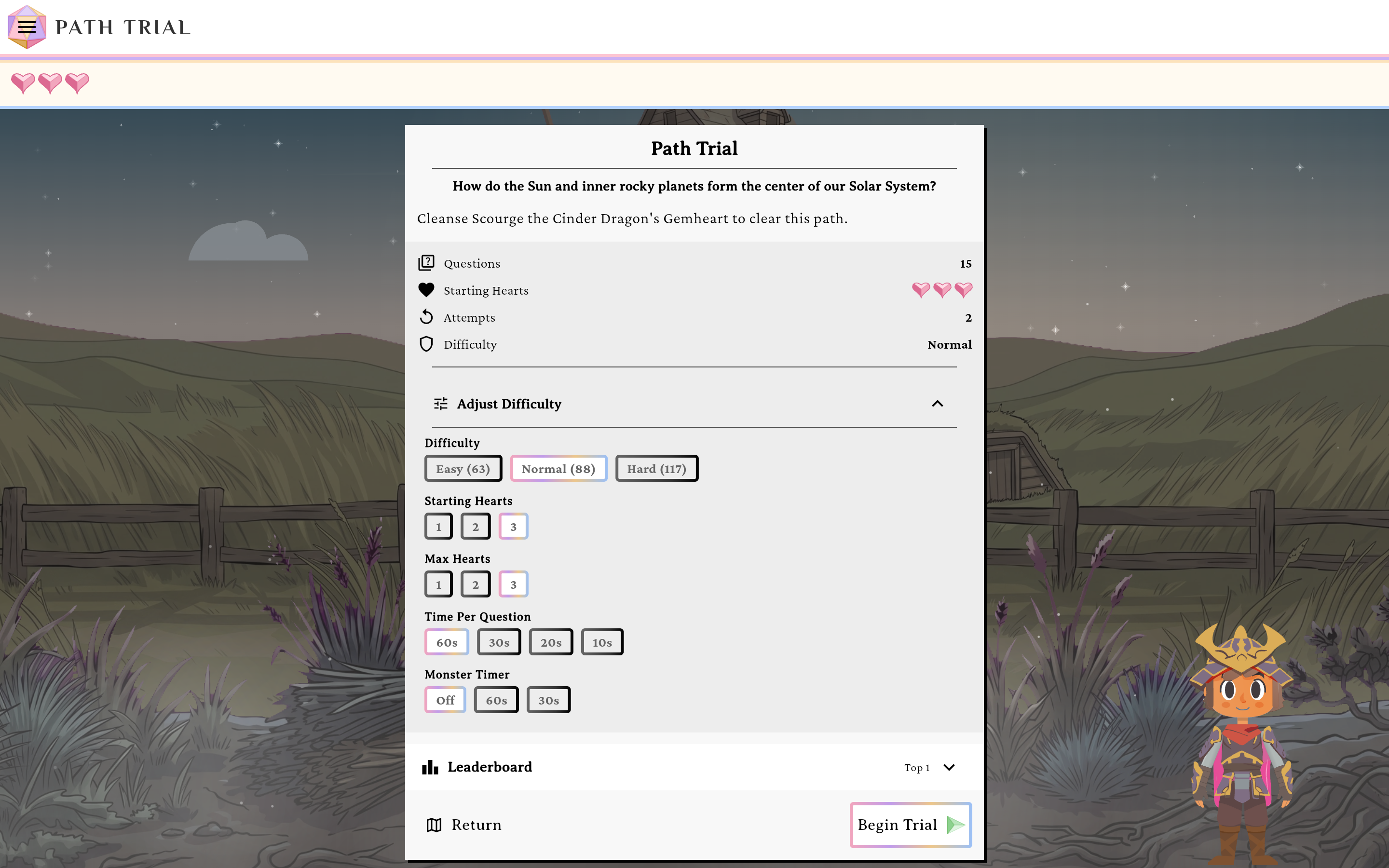
Pick your difficulty within the GM's limits.verified @ 2f427ecbd Check the leaderboard
The Leaderboard tile shows the Top <N> with rank, avatar, name, and score; your row is highlighted. Empty boards read “No scores yet. Be the first!”. See All opens the full board.
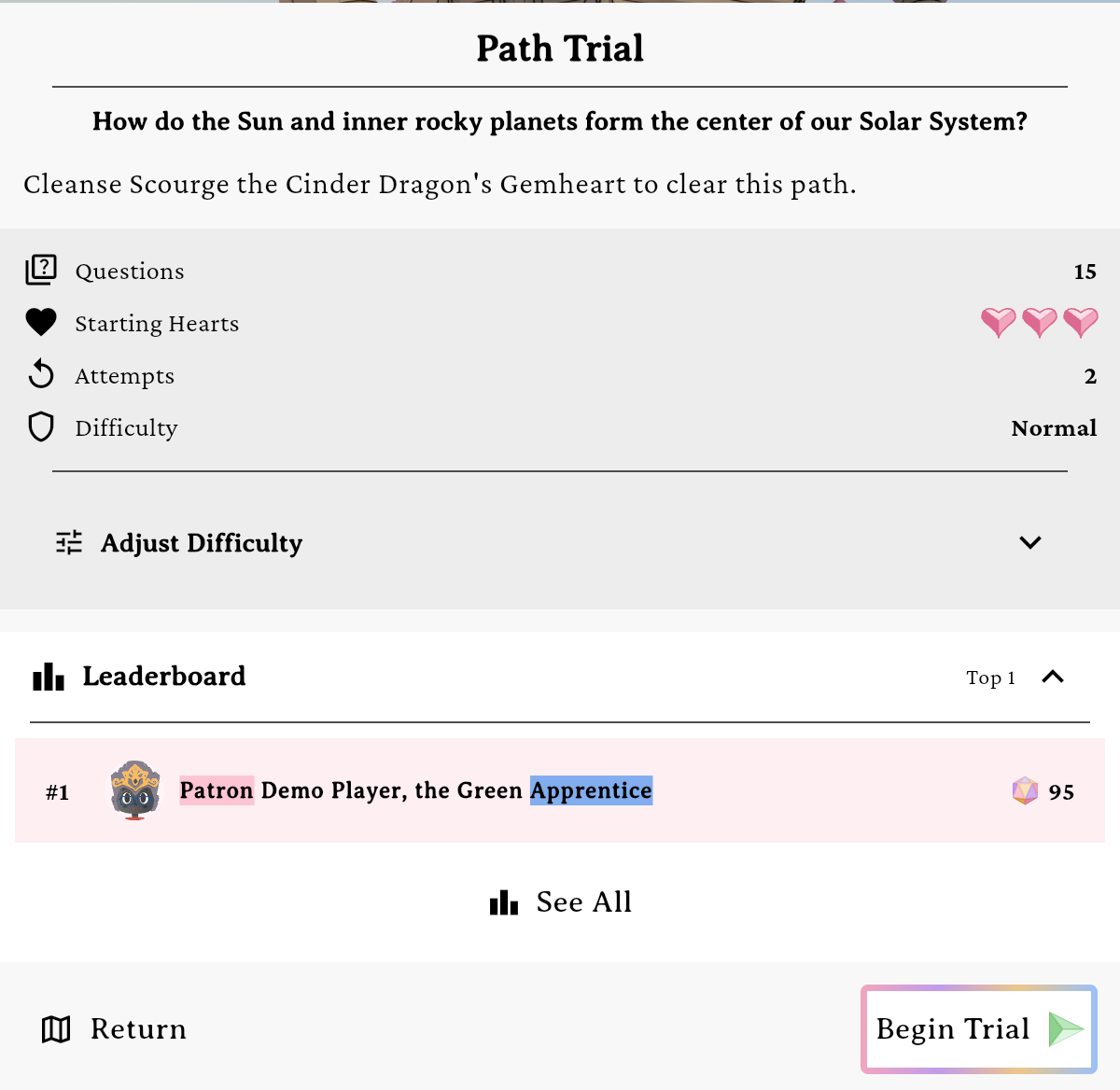
Your own row is highlighted wherever it lands on the board.verified @ 2f427ecbd Start and answer
Begin the quiz. Questions shuffle and your mob/avatar animate. Pick One, Pick Many, and Ordering questions each have their own answer UI; correct answers roll a damage die into the mob’s HP gem (watch it tween down) and raise your score and streak, wrong answers cost a heart. A run of correct answers wins a heart back: one for every 3, 4 or 5 in a row, as your Gamemaster sets it. Trials and Rifts start you on 3 hearts by default; an Engagement starts you on 1 and wins one back for every 3 in a row.
Capture pendingAn active Pick Many question with the hearts and streak in the bottom dock, the question's dice panel above it and the mob1440 × 900 · 16:10Answer to raise your score and protect your hearts.verified @ 2f427ecbd Finish
Pass and you’ll get a results screen with your final stats — then replay or advance. An Engagement ends on Engagement Complete!
Confetti fires here, but only on a pass — and only once the mob’s HP gem has finished its post-game refill. The results card is held back behind that same beat, so a moment of nothing between the last answer and your stats is the animation playing out, not a hang.
Unlock order
A path Trial unlocks once you’ve completed every node in the path; the campaign Rift unlocks once you’ve cleared every path. A party context is needed for the standalone Trial route and the See All board.
No attempts remaining
If your Gamemaster set an attempt limit and you’ve used it up, the start action is disabled (“No attempts remaining”). Empty boards show “No scores yet. Be the first!”.