Account & Billing · Notifications
Notifications
Open the app-bar bell to see likes on your reflection answers, Trial and Rift readiness, subscription gifts, and invites in one inbox.
Verified against app build 2f427ecbd · 2026-09-24
Wherever you are in RPGLMS, the bell icon in the app bar collects everything that needs your attention: someone liked your answer, a Trial or Rift is ready to attempt, a Wizard run finished, a subscription was gifted to you, or you’ve been invited somewhere.
Check your notifications
Open the bell
Tap the bell icon in the app bar to open the notification inbox. Entries are grouped by kind, most recent first.
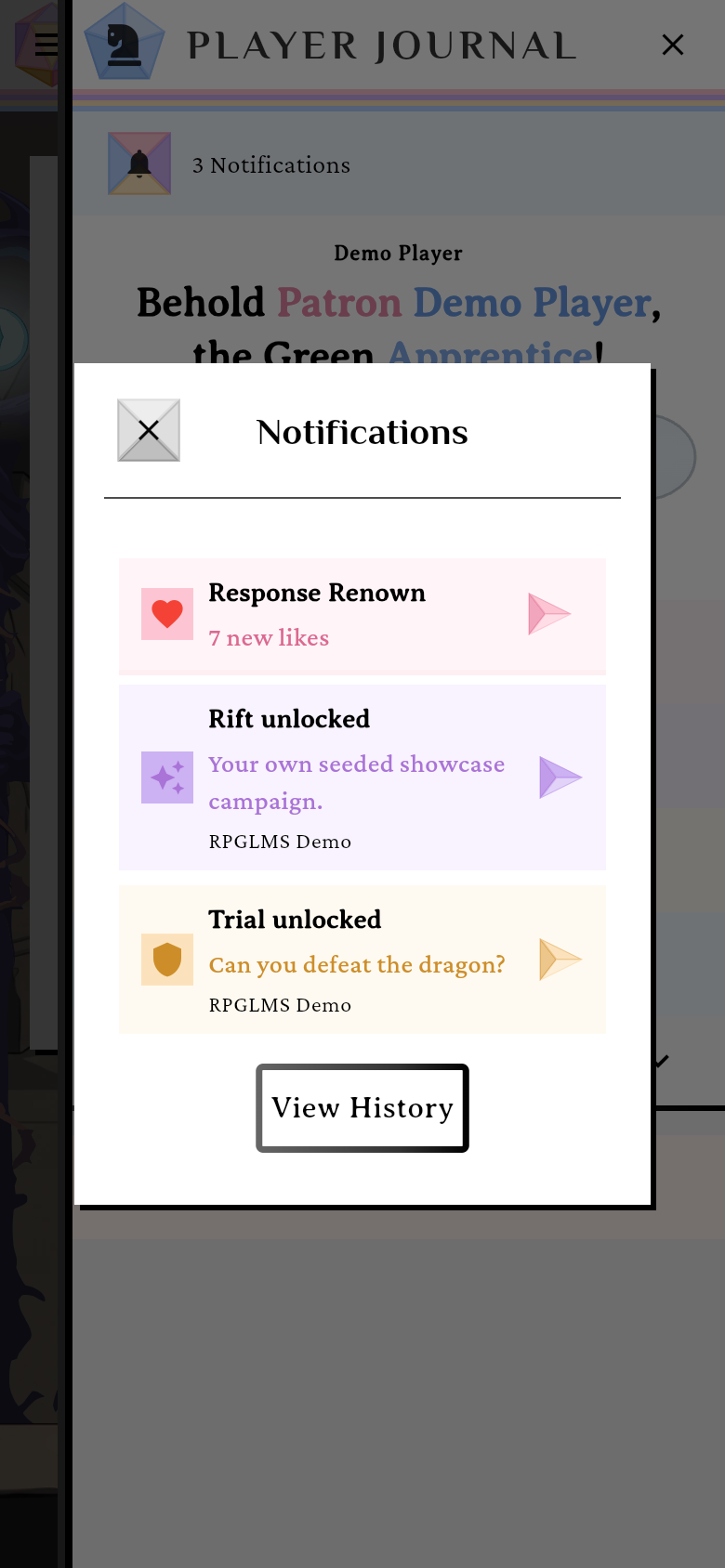
The notification inbox, opened from the app-bar bell.verified @ 2f427ecbd Read what's inside
The inbox covers a few different kinds of notification:
- Response Renown: classmates liked your written reflection answers, rolled up into one entry with their names attached. Every like earns you Renown.
- Trial / Rift ready — a path Trial or the campaign Rift has unlocked and is ready to attempt.
- Wizard finished — an AI Wizard run ended while you weren’t watching it. Tap it to open that campaign’s builder with the Wizard showing the run’s result.
- Subscription gifts — someone gifted you a paid tier.
- Invites — you’ve been invited to a Realm or a Party, or to collaborate on a House (a House Invitation). Accepting a House invitation needs a Lord subscription or higher; see Invite collaborators.
Three of these navigate when tapped: a Trial / Rift ready tile takes you to the surface where you attempt it, a Wizard finished tile opens the builder on the run, and tapping an answer inside a Response Renown entry opens that answer’s node. They mark themselves acknowledged on the way out; likes clear as a whole bundle, not one at a time.
There is no global “mark all as read” action. Invites clear when you Accept or Decline them, and a gift clears once you acknowledge it. View History lists what you’ve already cleared.
Try it in the demo
The bell works in the demo sandbox too. Demo is a mode, not a route — visit
/?demo=1 once and the whole app boots into the sandbox, so the bell is
wherever it normally is. The trigger is web-only and persists in local
storage, and the address bar drops it right away (/?demo=1 → /party-home),
which is expected. Visit /?demo=0 to leave the sandbox — currently the only
way out.